
I Thought Spending $400 on a Mouse Was Absurd
Last year, I noticed a familiar bump forming on the back of my right wrist.
It was a ganglion cyst, something I'd dealt with before. It wasn't particularly painful, and I knew there was a good chance it would eventually go away on its own. Still, it was a reminder that spending most of my day typing code, writing documentation, and moving a mouse around for hours probably wasn't doing my wrist any favors.
A day later, my uncle—who has been a physician for decades—was visiting. After noticing the bump, he gave me some advice (which I won't pretend is medical guidance): if my work required that much keyboard and mouse usage, I should seriously think about changing my setup.
My first thought was a vertical mouse.
I'd seen coworkers using them, and the logic made sense. Keeping your hand in a handshake position feels more natural than having your palm facing down all day.
Then my boss saw me researching ergonomic mice and asked what I was looking at.
A few minutes later, he introduced me to something I'd never seen before: the Contour RollerMouse Red.
I tried his for a few minutes.
My reaction?
"Interesting."
Not amazing. Not life-changing. Just... different.
Then I looked at the price.
Nearly $400.
At that point, I closed the tab.
The Advice That Made Me Buy It Anyway
The next day my boss asked if I'd ordered a mouse.
I told him I couldn't justify spending that much money on what was basically a glorified pointing device.
His response stuck with me:
"If it's something you use 70% of your working day, buy the best one you can reasonably afford."
That argument was annoyingly difficult to refute.
So I ordered it.
My First Impression: This Thing Feels Like Office Equipment, Not a Mouse
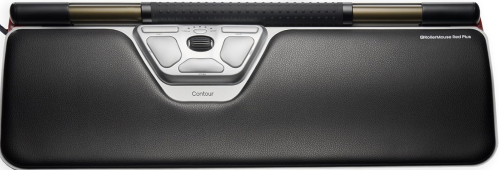
When the RollerMouse arrived, the first thing I noticed was its weight.
This wasn't a lightweight plastic gadget.
The base is metal. The wrist rest feels substantial. Everything about it gives the impression that it belongs in a professional workstation rather than on a shelf at a big-box electronics store.
Setup was straightforward.
The package included everything I needed: the RollerMouse itself, a wireless receiver, and a USB-C charging cable. No extra accessories. No complicated installation process.
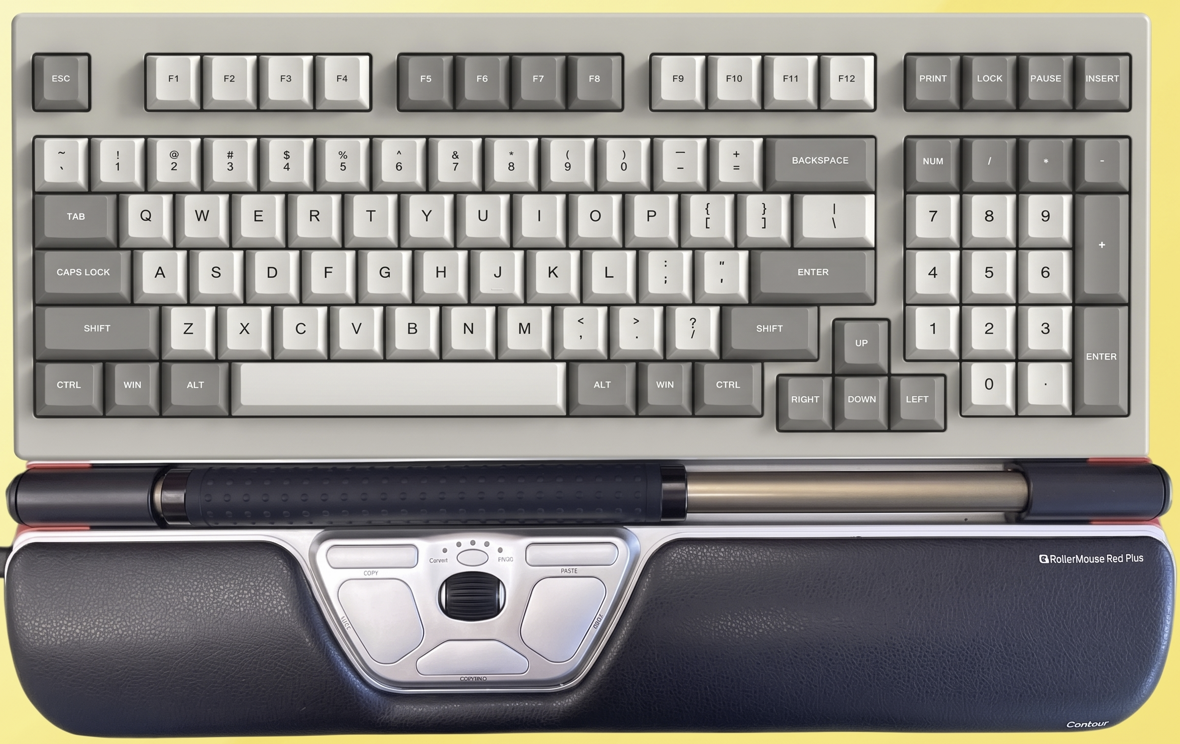
Within minutes, it was sitting directly beneath my keyboard.
And that's where the experience immediately became different.
Because unlike every mouse I've ever used, the RollerMouse never leaves the center of my desk.
The Learning Curve Was Real—but Short
As a software developer, most of my day is spent inside JetBrains Rider and other IDEs.
If you're a hardcore Vim user, mouse usage might not matter much.
But for developers who constantly jump between files, inspect code, debug applications, and navigate complex interfaces, the mouse still plays a huge role.
The RollerMouse felt strange at first.
Instead of reaching to the side of my desk, my hands stayed directly in front of me.
Instead of moving an entire mouse around, I controlled the cursor with the Rollerbar positioned beneath the keyboard.
For a few days, my muscle memory fought back.
Then it clicked.
And after that, I stopped thinking about it.
Which is usually the sign of good hardware.
What Surprised Me Most Wasn't Comfort—It Was Finger Fatigue
Most ergonomic-mouse discussions focus on wrist position.
What I hadn't considered was how much repetitive work my index finger was doing.
With a traditional mouse, my right index finger handles almost everything:
- Scrolling
- Left-clicking
- Double-clicking
- Dragging
- Navigating documents
- Debugging code
Hour after hour.
Day after day.
Over time, I occasionally noticed soreness in the fingertip itself from constant scroll-wheel usage.
The RollerMouse changes that dynamic entirely.
Because the Rollerbar can be controlled with multiple fingers, the workload becomes distributed across the entire hand rather than concentrated on a single finger.
The cursor movement comes from small wrist and hand motions instead of endless index-finger repetition.
It's one of those benefits that's difficult to appreciate until you've used it for a few weeks.
The Unexpected Productivity Feature I Ended Up Loving
I initially assumed the ergonomic design would be the main selling point.
What I didn't expect was how much I liked the built-in shortcut buttons.
The RollerMouse includes dedicated Copy and Paste buttons.
That sounds almost laughably minor.
Until you spend an entire day editing documents, moving snippets of code, and reorganizing information.
There are moments when it's genuinely faster than reaching for Ctrl+C and Ctrl+V.
It's not revolutionary.
But it's surprisingly convenient.
And convenience adds up.
The One Problem I Had—and How I Fixed It
My office setup includes two large external monitors.
When moving the cursor from the far left edge of one display to the far right edge of the other, I initially found myself pushing the Rollerbar farther than I expected.
For a while, it felt like I was running out of travel distance.
Then I discovered the adjustable cursor-speed settings.
I increased the sensitivity to the highest setting.
Problem solved.
After that, moving across both displays felt effortless.
The Biggest Sign I've Become a Convert
The strangest thing happens whenever I use another computer now.
I sit down.
Reach for a traditional mouse.
And immediately feel something is wrong.
Not because traditional mice are bad.
Because my brain has adapted to the RollerMouse.
The same thing happened when I first switched to it. Now the reverse is true.
That's probably the strongest endorsement I can give.
When a piece of equipment changes your muscle memory, it's no longer just a gadget—it's become part of how you work.
Would I Buy It Again?
A year ago, I thought spending nearly $400 on a mouse was ridiculous.
Today, I'm considering buying a second one for my home office.
Not because the first one broke.
Not because I'm obsessed with office gear.
But because I've realized that the tools we use for eight or ten hours a day have an outsized impact on how we feel at the end of those hours.
The Contour RollerMouse Red isn't a product I'd recommend to everyone.
If you spend most of your day away from a desk, it's probably unnecessary.
But if your job revolves around a keyboard, an IDE, spreadsheets, documents, or endless browser tabs—and you're starting to notice wrist, hand, or shoulder discomfort—it might be one of the few office upgrades that actually earns its premium price tag.
For me, it went from being the most expensive mouse I'd ever seen to the mouse I don't really want to work without.