
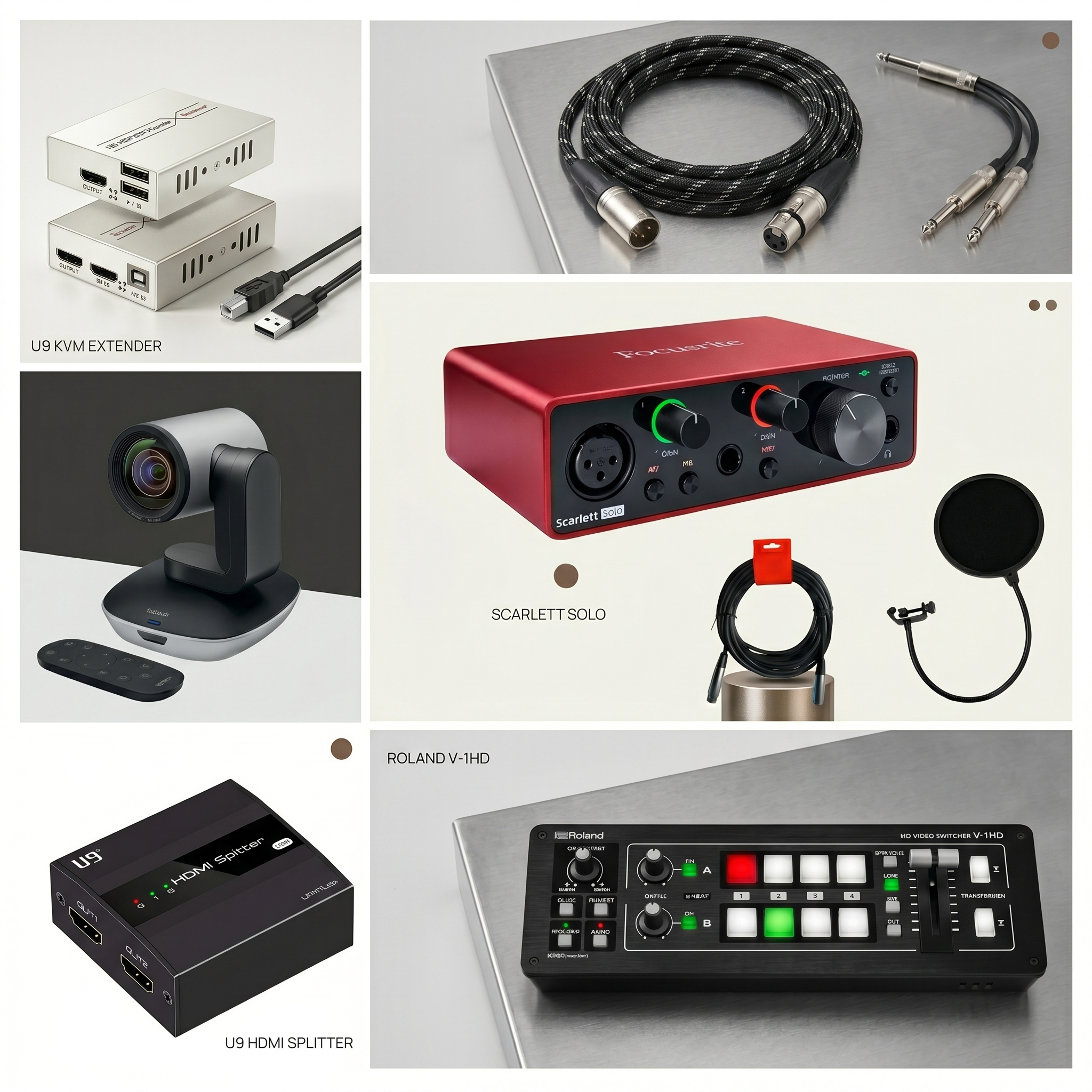
For small churches and local community spaces, setting up a livestream often feels like balancing a house of cards. Most budget guides recommend downloading free streaming software, plugging in a cheap webcam, and praying the computer doesn’t crash mid-service.
But if you want a truly professional broadcast, you run into a massive technical bottleneck: the seamless transition. Audiences at home want to see crisp, full-screen PowerPoint slides during worship songs, and a clean, high-definition camera feed when the pastor stands up to preach. Trying to manage both tasks on a single computer while keeping an eye on the YouTube live feed is a recipe for accidental desktop exposure, frozen screens, and frantic clicking.
To solve this for our local church, I designed a rock-solid, two-computer system powered entirely by dedicated hardware. In this setup, Computer A handles the PowerPoint presentation, Computer B manages the YouTube stream, and a small stack of robust tactical gear glues them together.
Here is the exact breakdown of the five hardware components we used to achieve flawless, broadcast-quality switching without an enterprise budget.
1. The Brain: Roland V-1HD HD Video Switcher
-
What it does: Mixes multiple video inputs and switches between them in real-time.
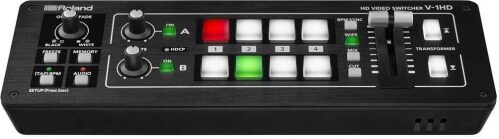
At the center of our production desk is the Roland V-1HD, a compact hardware switcher that takes the heavy lifting away from computer software. Instead of clicking through dropdown menus on a screen, the volunteer operator has large, color-coded, backlit physical buttons.
In our two-computer workflow, the PowerPoint laptop (Computer A) plugs into Input 1 via our distribution network, and our main sanctuary camera plugs into Input 2. The buttons for Channel A and Channel B light up red for what is currently live on screen, and green for what is queued up next. When the service transitions from worship slides to the sermon, the operator simply pushes a physical T-bar slider to create a smooth, cinematic dissolve from the presentation to the camera feed. Because the processing happens inside this dedicated hardware box, it never lags, stutters, or crashes.
2. The Eye: Logitech PTZ Pro 2 Camera
-
What it does: Captures premium, broadcast-quality 1080p video with motorized pan, tilt, and 10x zoom.
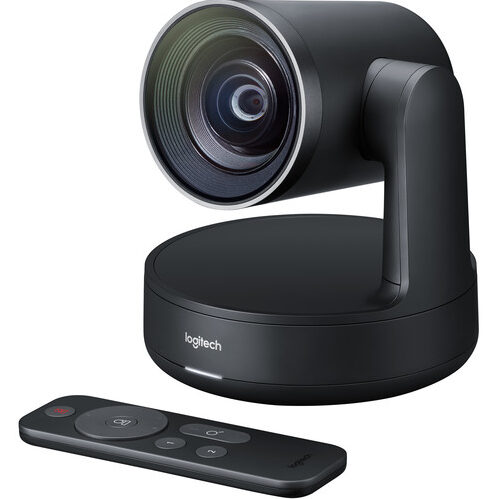
Most consumer webcams fail in a church environment because they lack optical zoom, leaving the pastor looking like a tiny dot in a cavernous sanctuary. To fix this, we deployed the Logitech PTZ Pro 2.
This conference-room powerhouse is perfect for houses of worship. Because it features a premium lens with 10x lossless HD zoom, we were able to mount it further back in the sanctuary to keep it unobtrusive. The motorized pan and tilt functions are incredibly smooth, and it comes with a handheld remote control. This allows our volunteers to save presets—one button automatically zooms in tightly on the pulpit for the sermon, while another opens up to a wide shot of the stage for the choir. It outputs a crisp, beautifully color-balanced 1080p video feed that looks excellent on large screens and home displays alike.
3. The Long-Distance Link: KVM Extender 60M (Sender/Receiver)
-
What it does: Sends high-definition video signals over long distances without quality loss.
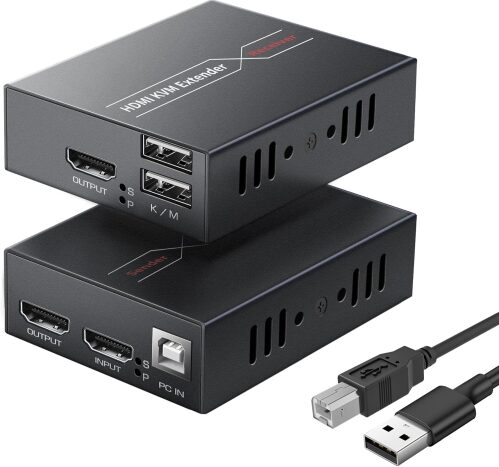
In a practical church layout, the presentation computer running the slides needs to be near the front stage or the sound booth, but standard HDMI cables degrade rapidly if they are longer than 25 or 30 feet.
To overcome this, we used a KVM Extender 60M. This brilliant little box sits next to our PowerPoint laptop. It takes the HDMI output from the laptop and converts it so it can travel through a standard, inexpensive CAT6 network cable all the way to our production desk up to 60 meters away. At the receiving end, a matching box converts it back to a clean HDMI signal for the Roland switcher. This ensures our lyrics and scripture slides remain pixel-perfect and sharp, without a drop of latency or signal degradation.
4. The Monitor Splice: U9 ViewHD HDMI 1X2 Splitter (with EDID)
-
What it does: Duplicates a single HDMI video output into two identical feeds simultaneously.
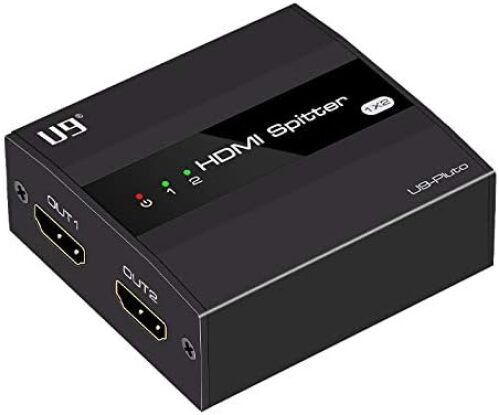
When the PowerPoint computer sends its signal across the room, that video feed needs to go to two places at once: the physical projector on the wall for the congregation inside the building, and the Roland switcher for the audience watching online on YouTube.
The U9 ViewHD HDMI 1X2 Splitter handles this perfectly. It takes the incoming slide feed and splits it into two identical, lag-free outputs. Crucially, it features an EDID (Extended Display Identification Data) switch. This built-in chip forces the computer to output a locked, stable resolution (like standard 1080p Full HD), preventing the laptop from getting confused about screen dimensions when plugged into different display devices. One output goes cleanly to the church projector; the other feeds into the switcher.
5. The Studio-Grade Sound: Focusrite Scarlett Audio Interface
-
What it does: Captures pristine audio from the church soundboard and feeds it to the stream.
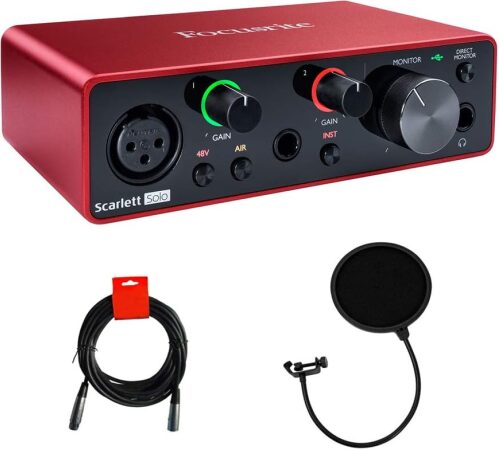
A livestream can survive mediocre video, but bad audio will drive viewers away instantly. To get the pastor’s microphone and the worship team's instruments into the stream, you cannot rely on a computer’s cheap, noisy headphone jack.
We deployed a classic Focusrite Scarlett USB audio interface (easily recognized by its iconic, rugged anodized aluminum chassis). We take a pristine audio output mix from the church’s main physical mixing board and plug it right into the front inputs of the Focusrite. The interface converts this analog sound into high-fidelity digital audio. It connects via a red USB cable directly to our dedicated streaming computer (Computer B), ensuring that the audio going to YouTube is crystal clear, perfectly leveled, and entirely free of background hiss or static buzz.
The Two-Computer Workflow in Action
By dividing the labor between two machines, the entire operation becomes incredibly relaxed:
-
Computer A (The Source): Sits quietly on the media desk, running the PowerPoint presentation. Its signal goes through the U9 Splitter to feed the physical sanctuary projector and passes through the KVM Extender to land safely into Input 1 of the Roland Switcher.
-
The Production Desk: The operator watches the Roland Switcher. Using the Logitech remote, they can pre-position the PTZ Pro 2 camera on the pastor. When it’s time to switch, they smoothly transition between the slide feed and the live camera feed using the switcher's physical buttons.
-
Computer B (The Streamer): This machine is dedicated solely to running your broadcasting software (like OBS) and keeping the YouTube live dashboard open. It receives the polished, mixed video from the Roland switcher and the studio-grade audio from the Focusrite interface, pushing a flawless, finished product to the internet.
Final Thoughts
This modular approach completely removes the single-point-of-failure anxiety that usually plagues DIY livestreams. If the PowerPoint computer encounters a glitch, the live stream on YouTube doesn't freeze—the operator can simply switch back to the live camera feed instantly. By investing in a few smart, dedicated hardware pieces, we built a professional, robust broadcasting system that is easy for volunteers to learn and built to last for years to come.